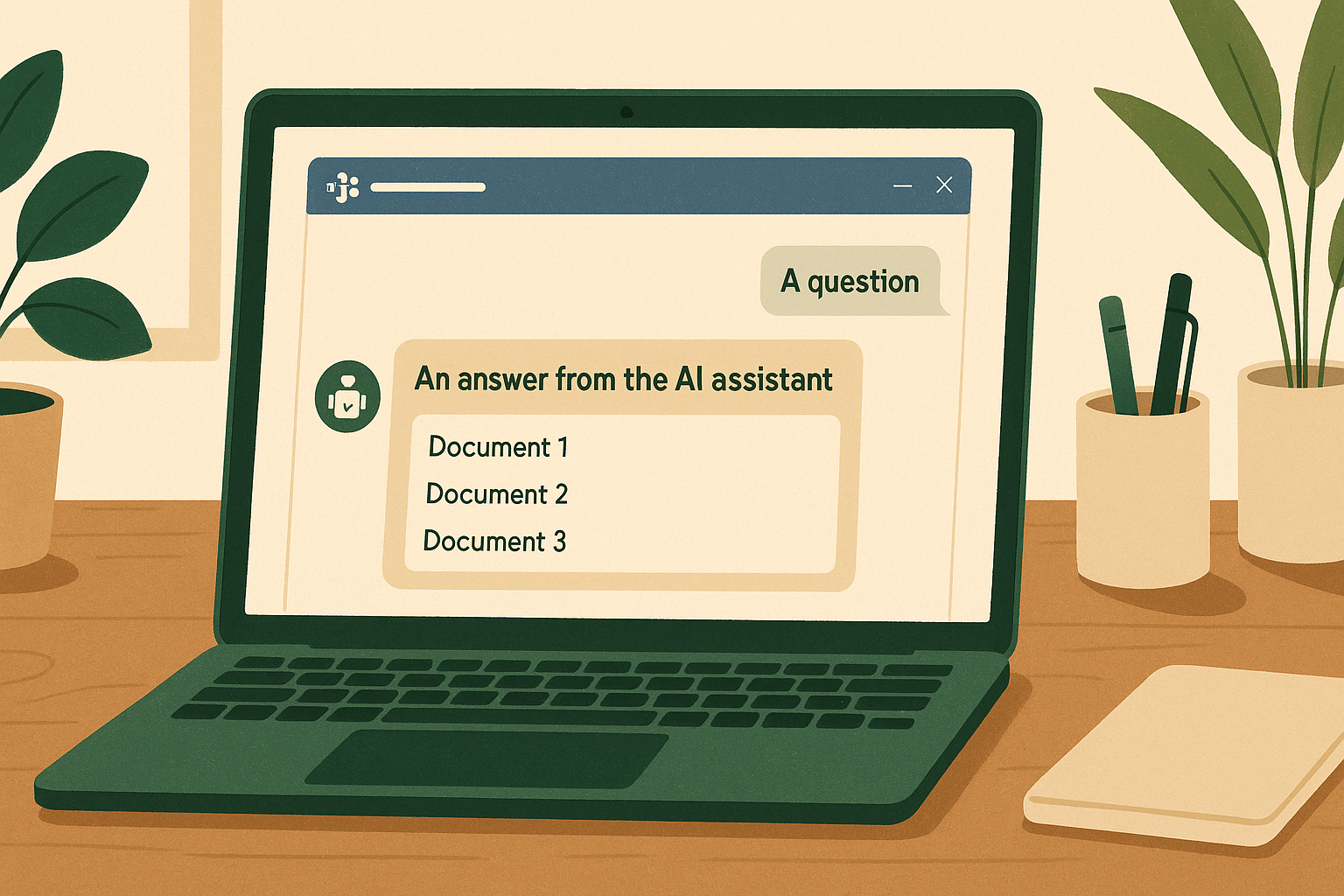
The problem
Most small companies look the same on the inside: knowledge scattered across a Wiki, Google Docs, and Notion — three search boxes, three permission systems. New hires bounce between systems hunting for one SOP; senior people get interrupted daily to answer questions that were written down long ago; the knowledge base becomes write-only.
My e-commerce company was exactly this — 30 people, HR policies in Word files, SOPs in Wiki.js, product specs in Notion. The third time in one month a colleague asked me “where’s the escalation flowchart for customer complaints?”, I decided to build something.

The idea
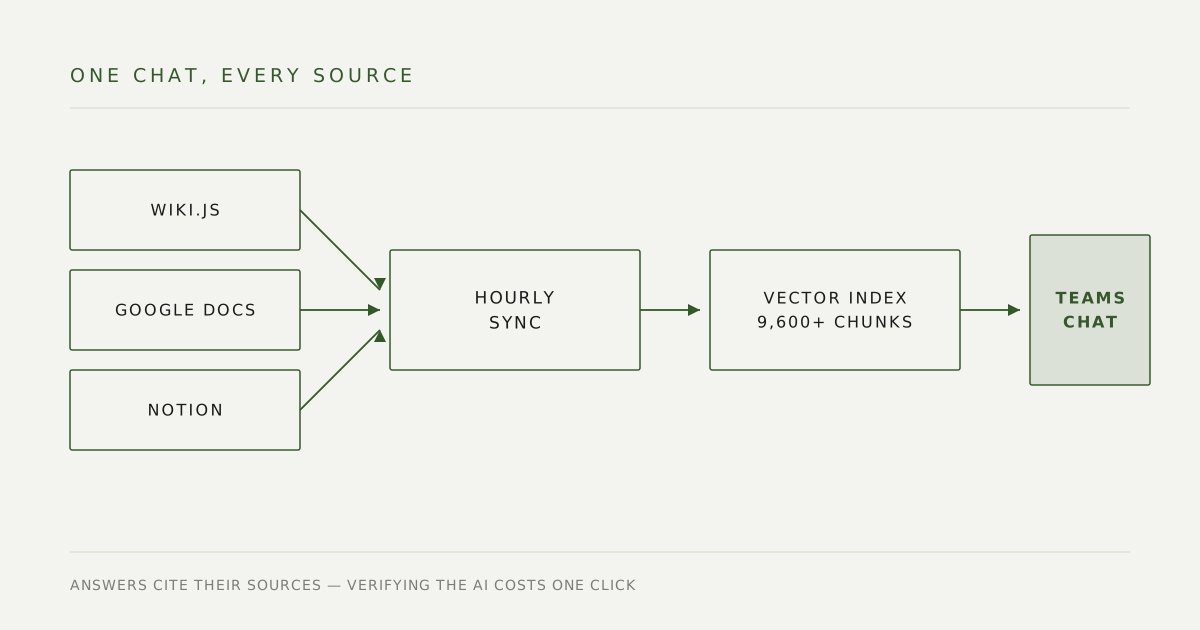
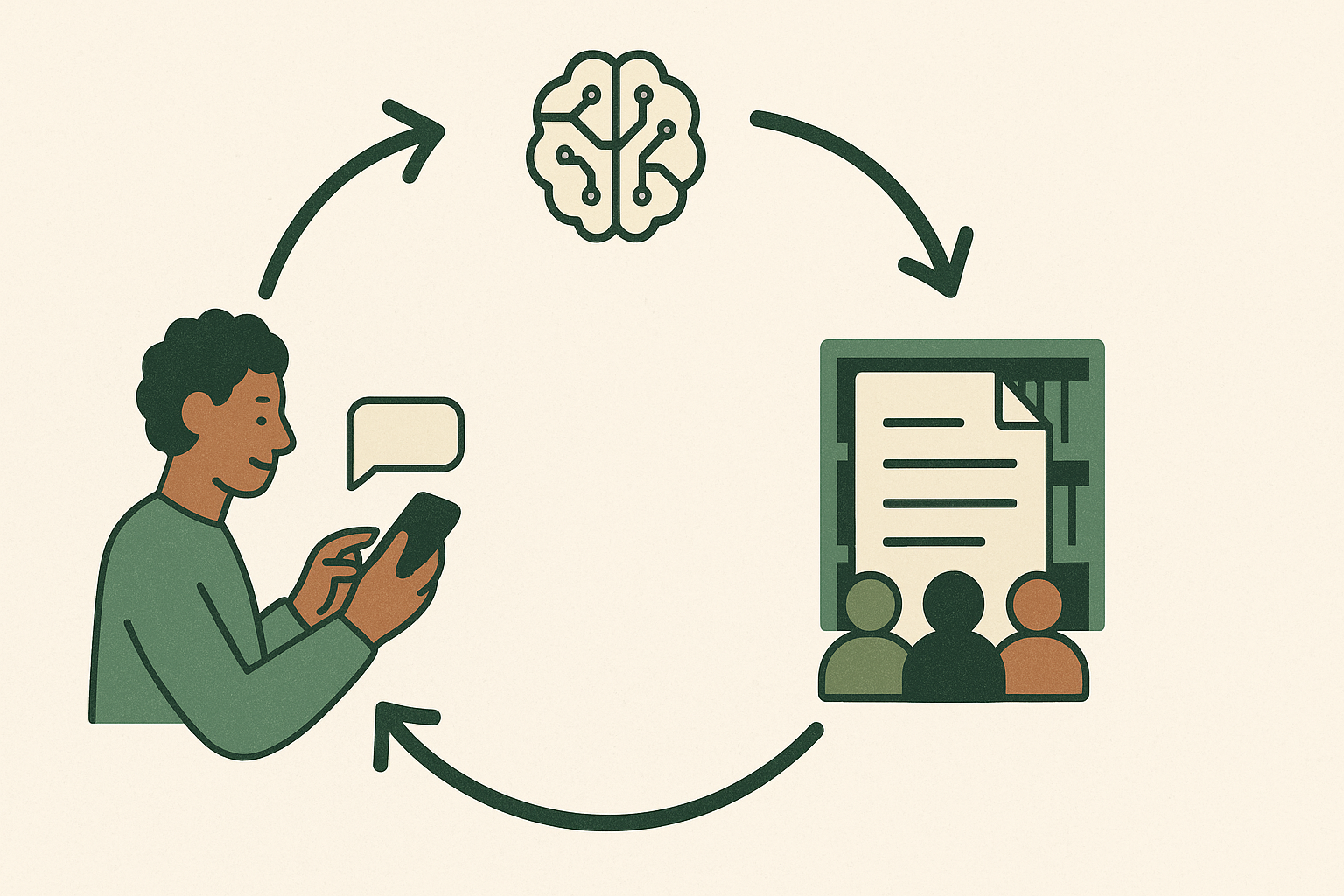
Put a conversational interface inside the tool everyone already lives in — Microsoft Teams — and let it search every source at once.
The bot needed to:
- Sync content from Wiki.js, Google Docs, and Notion on a schedule
- Answer questions with RAG (retrieval-augmented generation), citing sources
- Make contributing knowledge as easy as sending a message — jot something down → one command publishes it as a KM page
The bar I set: it had to be better than asking the senior colleague directly, not merely tolerable.
Three decisions before writing any code
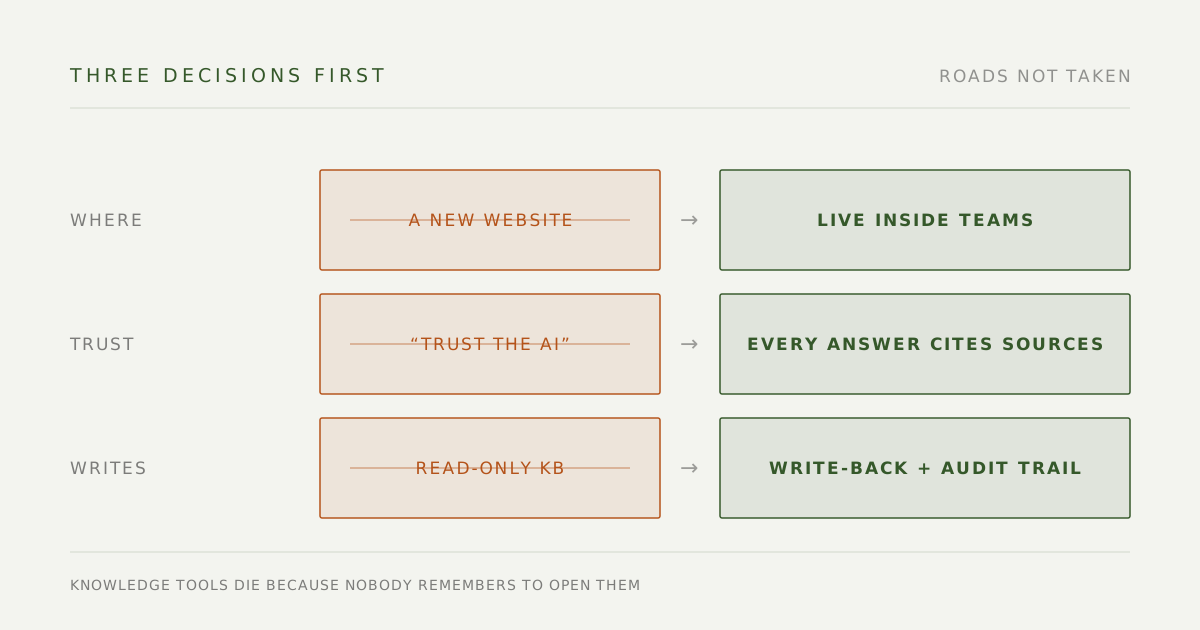
Decision 1: live inside Teams; don’t build a new site. The other path was a standalone Q&A website — far more freedom over the interface. I didn’t take it, because knowledge tools rarely die from missing features; they die because nobody remembers to open them. Inside Teams — already open on everyone’s screen all day — the cost of asking approaches zero. A bonus that turned out to matter: identity comes from the company account for free, so I never had to build a login system. Hand-rolled auth is the kind of thing that’s usually only half right.
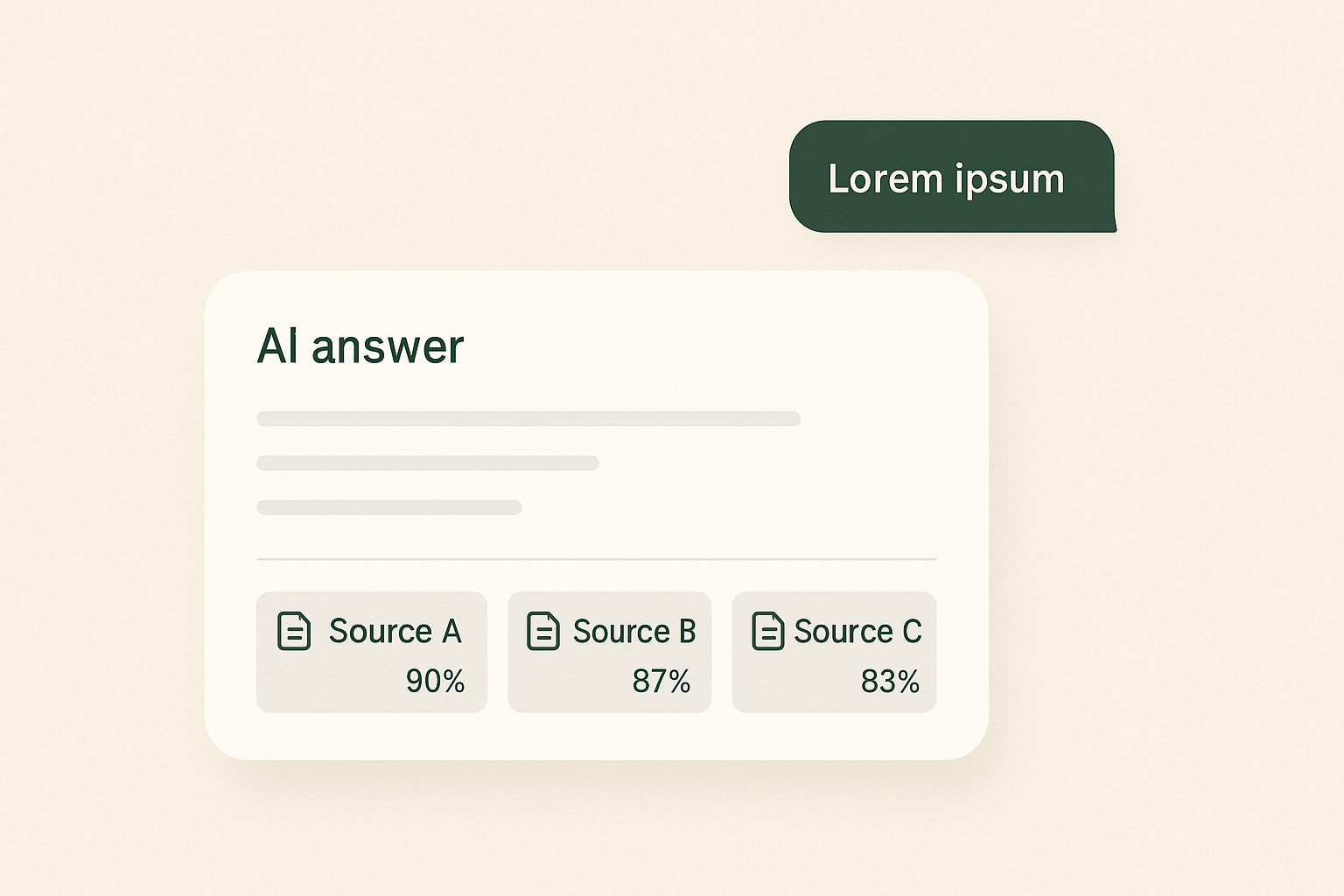
Decision 2: every answer cites its sources. The premise is that AI will sometimes be wrong — that’s a given, not an accident. So every answer links to the original documents it drew from, and verifying the AI costs one click. Trust gets built on cheap verification, not on promises of accuracy.
Decision 3: let it write — but leave a trail on every write. A read-only knowledge base rots, because the person who spots the typo has no way to fix it. I opened up write-back, on one condition: every edit automatically appends an audit note (Notion has no per-block edit history, so that note is the only forensic trail there is). Capability can be generous, as long as incidents are traceable.
What I built
Multi-source RAG with query rewriting
The naive RAG pipeline (embed the question → cosine search → generate an answer) looks great in a demo and falls apart on contact with real users. Real users type things like “LINE push setting location?” — and the correct document, “LINE push notification settings”, gets dragged below rank five because the word “location” pulls toward UI-settings docs.
The fix: before searching, expand the question into 2–3 semantic variants with GPT, search each variant, and merge by the highest score per chunk. Recall improved noticeably on exactly the kind of terse question people actually type.
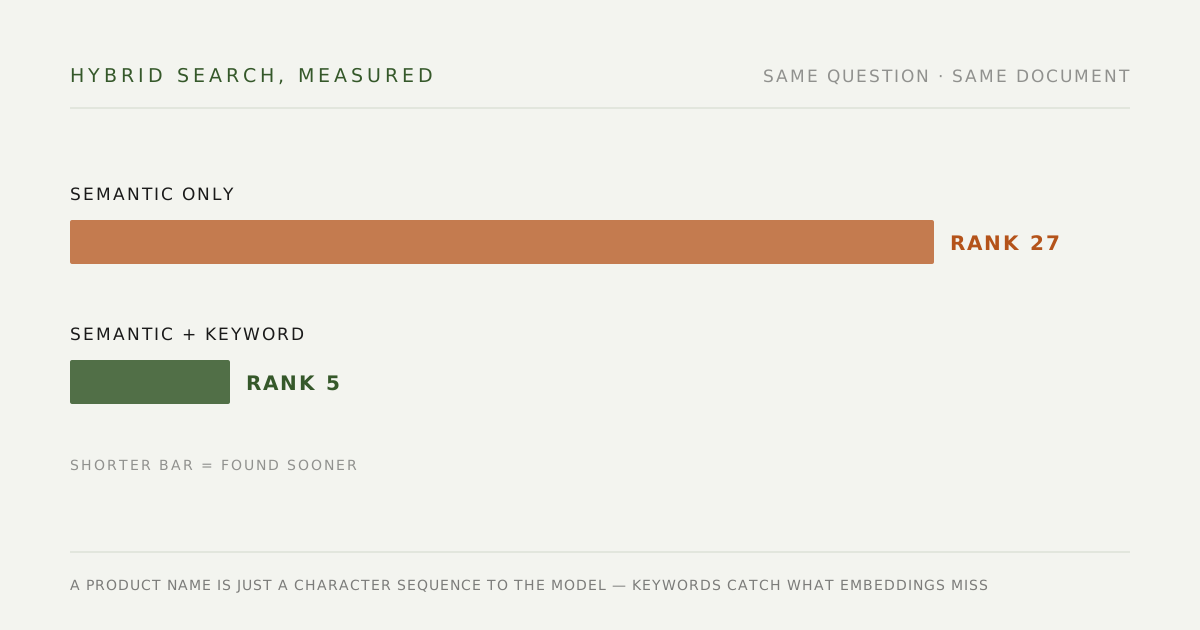
Later I added hybrid search — semantic plus keyword weighting. It came out of a gap I hit myself: a requirements doc that was sitting right there in Notion but wouldn’t surface for a conversational query. Pure dense retrieval is genuinely weak on proper nouns and product codes — a product name is just a character sequence to the model. With keyword weighting layered in, that question moved from rank 27 to rank 5, and clearly-phrased questions land at #1 consistently.
There’s an honest limitation here: the query expansion is done by an LLM, so it isn’t deterministic — ask the same question twice and the ranking wobbles. The genuinely robust answer isn’t a perfect retriever; it’s giving the AI the code and the docs side by side so it can cross-check. That idea turned into a separate project.
The input to every optimization is how real users actually phrase things, never how I imagine they would. Every failed search is a piece of training material — feed it back into the system, and the next person’s search succeeds.
Write-back to the knowledge base
The killer feature isn’t the search — it’s that the bot can also edit, append, and publish back to all three sources.
#edit lets anyone fix a typo in Wiki.js without learning the CMS. #append lets them add a missing step to an SOP. #publish turns a rough note into a properly formatted KM page (AI fills in title and structure). Each Notion edit adds an audit note automatically, since Notion has no per-block edit history.
The effect: the knowledge base gets corrected continuously by whoever actually notices the problem, instead of waiting for an editor to be notified. Contributing knowledge went from “a task you schedule” to “a side effect of using the thing.”
Personal assistant features
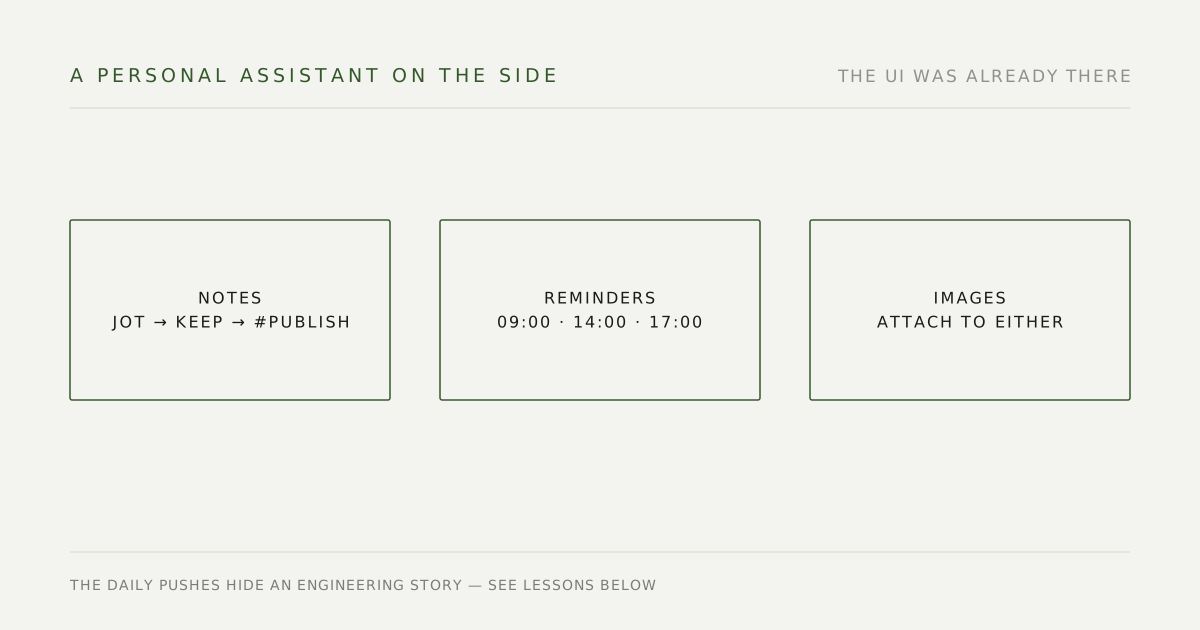
I added notes and reminders while I was in there — the UI already existed. The bot doubles as a personal sticky note. The daily 9am/2pm/5pm reminder pushes hide a small engineering story (see “Lessons” below) — it should have been trivial, and wasn’t.
Image support end to end
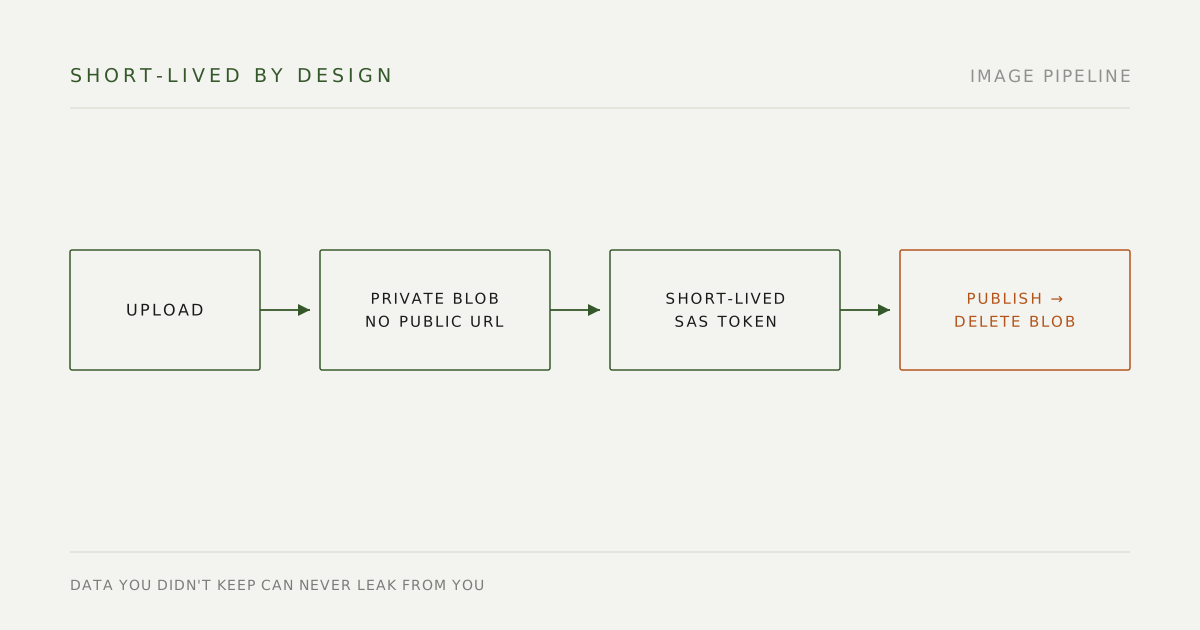
Users can attach images to notes and reminders. Images live in a private Azure Blob; every display generates a short-lived SAS token; no public URL exists anywhere. When a note is published, images get embedded into the KM page (base64) or uploaded to Google Docs via Drive, and the original blob is deleted immediately — the temp lifecycle is deliberately short.
Data you didn’t keep can never leak from you. The shorter the temp file lives, the less there is to defend.
How it’s holding up
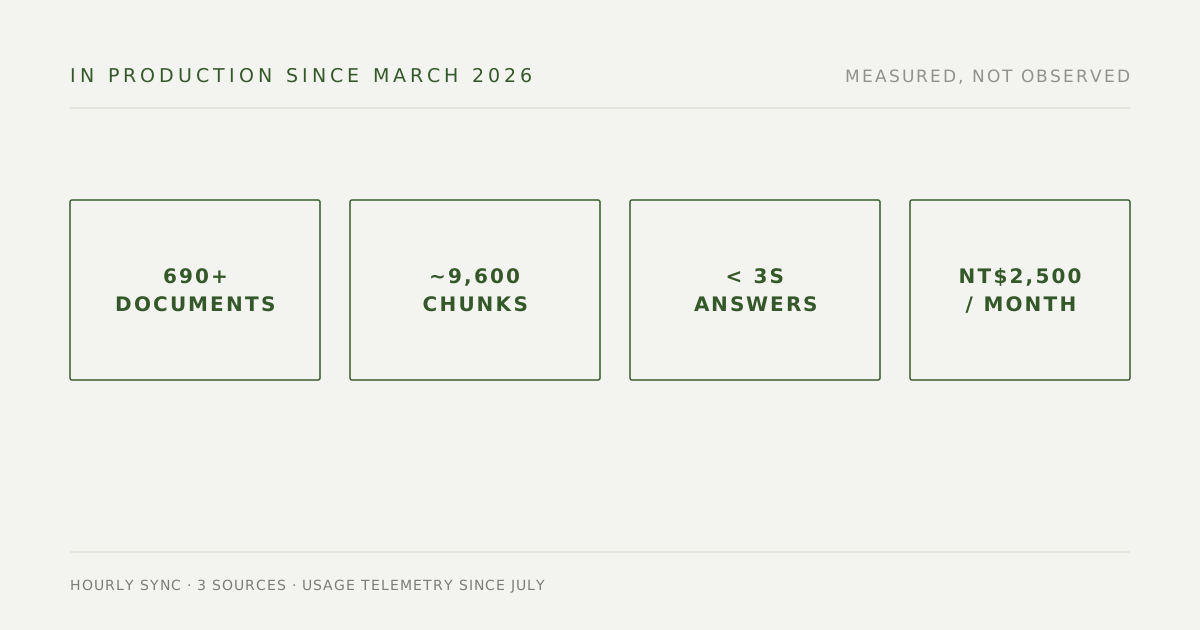
Live in production since March 2026. Steady at 690+ documents and ~9,600 indexed chunks across three sources. Hourly sync, sub-3-second response times, ~NT$2,500/month total Azure cost. Usage telemetry went in during July, so the usage picture is now measured rather than just observed.
The interesting part isn’t the technical metrics — it’s the usage patterns:
- Customer service uses it mid-phone-call to check policy thresholds in real time
- New hires treat it as self-serve onboarding — HR fields far fewer “where’s the form” interruptions
- A group of power users internalized the
#publishflow; the bot became their main path for contributing knowledge
The knowledge base itself grows faster than before. Not because anyone was told to write — because the threshold dropped low enough that contribution became a side effect of use.
Lessons (the interesting bugs)
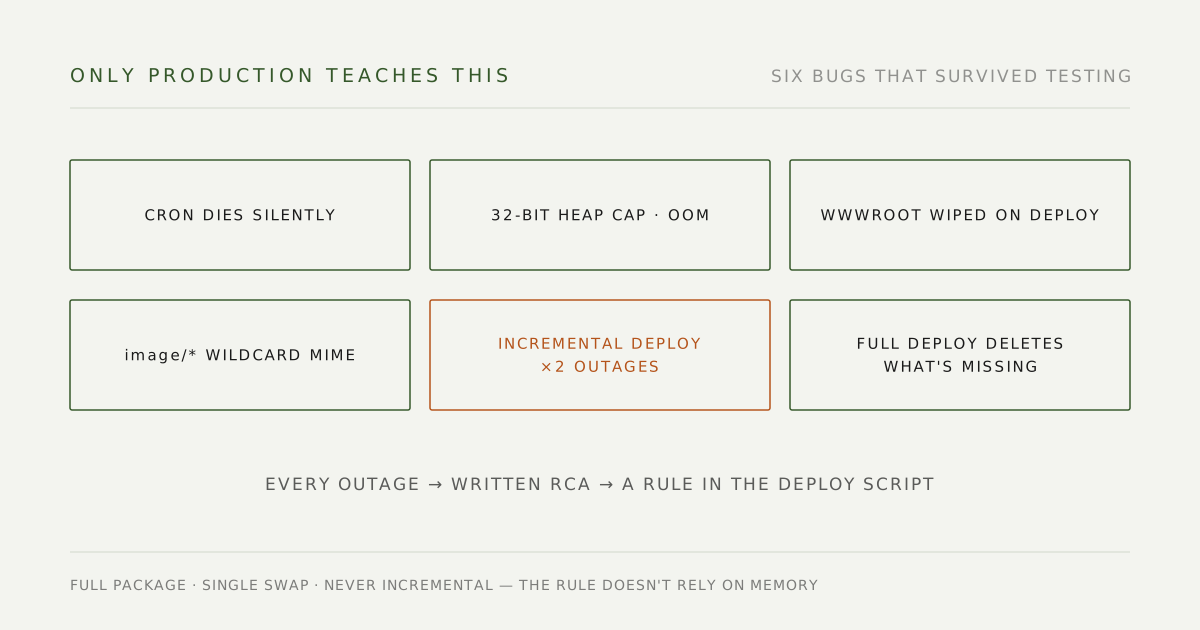
Problems that only surface after a real launch:
node-cronfails silently. In a long-running process, the hourly jobs “just stopped” while the short-interval ones (*/5) stayed alive. My first fix was “theoretically correct” but only took effect on restart — and the bot doesn’t restart. The real fix: a 10-minute polling safety net with no dependency on cron at all.- Azure App Service defaults to a 32-bit worker, capping the Node heap around 90MB regardless of
--max-old-space-size. Six thousand chunks was enough to OOM. One CLI flag flips it. - wwwroot gets wiped on zip-deploy, including
data/if that’s where your vector store lives. The entire knowledge base vanished once. Fix: point the path at a persistent directory via an env var. - Teams sends
image/*as the content type (a wildcard, not the real mime), andcontentUrlneeds Bearer auth to download. A chain of wrong assumptions to dismantle one by one. - Incremental deploys to save upload time took production down twice. The full package is 110MB, the incremental one 1.2MB, so I shipped only the changed files and reused the server’s
node_modules. The app wouldn’t start — a ten-minute crash loop. Pulling the iisnode crash stack from Kudu revealed the culprit: the telemetry package was loading a third-party module and reading a half-written file — the root cause wasn’t my code, it was package-state inconsistency created by the incremental deploy. A full-zip, single-swap deploy fixed it. The upload time I saved, I repaid with two production outages. - A full deploy deletes what isn’t in the package. After fixing the above, the full package lacked the
web/folder, so the deploy deleted the web chat UI’s homepage (Teams was unaffected — which is why I almost missed it). A web-only patch package restored it.
I closed this list out the way incidents deserve: each outage got a written root-cause analysis, and the two deploy incidents hardened into one non-negotiable rule — this service deploys as a full package, single swap, never incremental. The rule doesn’t rely on memory; it’s written into the deploy script.
The full postmortem is in the repo, including the architecture choices and what I’d do differently.
What I’d build next
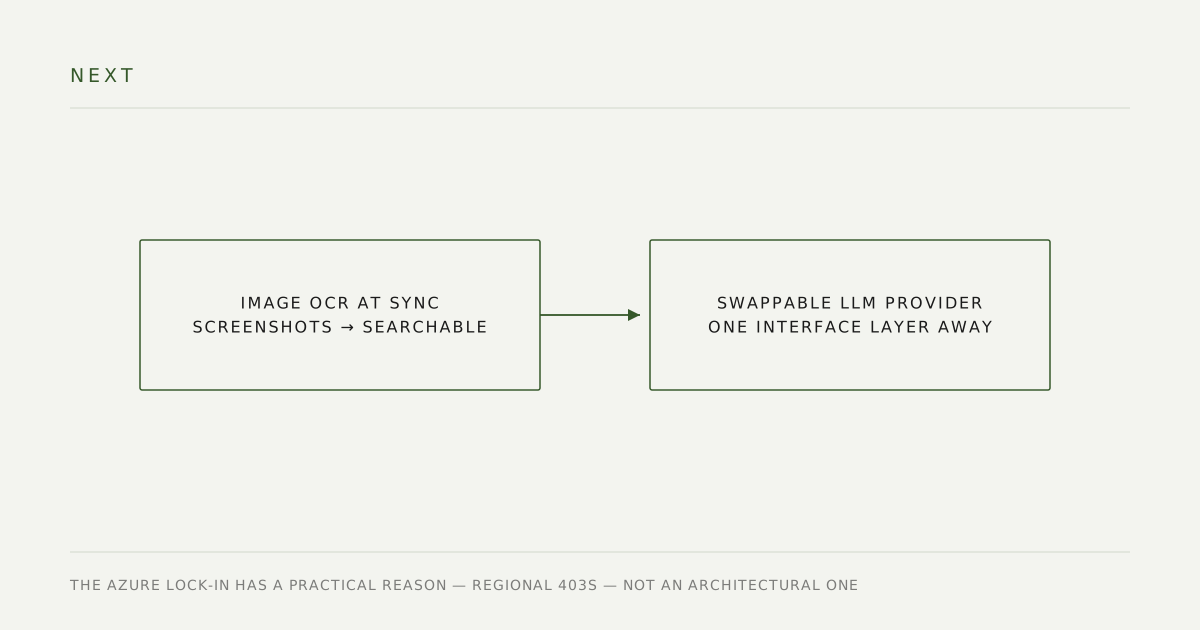
- Image OCR during ingestion — many SOPs put the key information inside screenshots, which pure-text RAG can’t see. One vision pass at sync time.
- Swappable LLM provider — the Azure OpenAI lock-in has a practical reason (direct OpenAI/Anthropic calls 403 from this region), but one interface layer away is OpenAI / Anthropic / Bedrock.
Tech stack
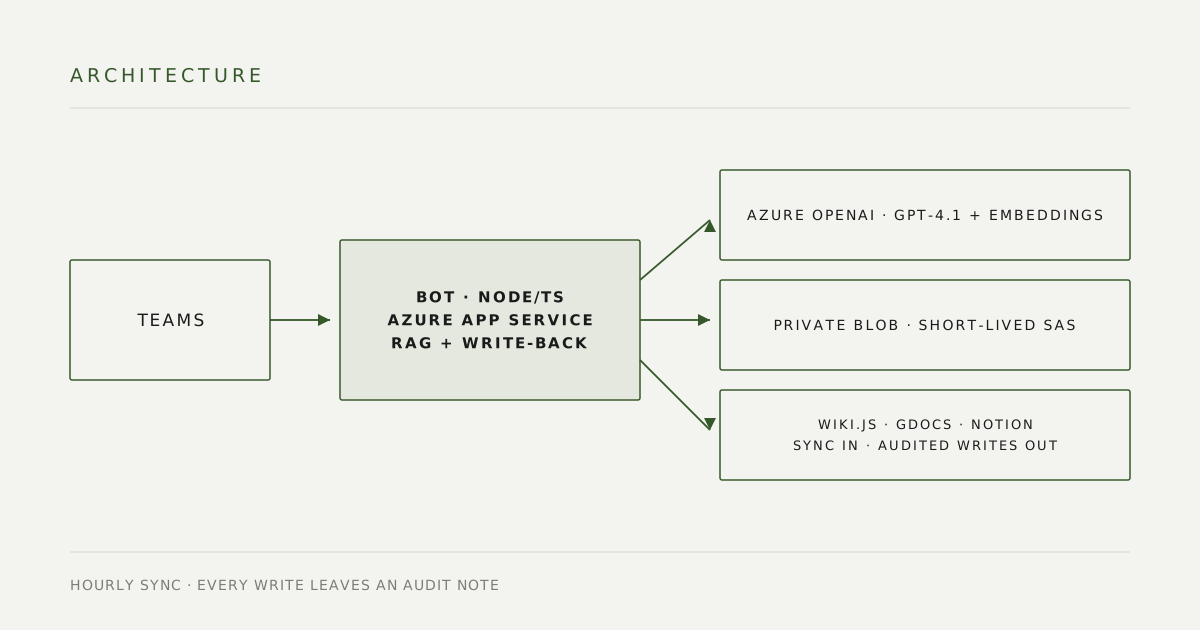
TypeScript, Node.js, Azure OpenAI (gpt-4.1 + text-embedding-3-small), Microsoft Bot Framework, Wiki.js GraphQL, Google Drive API + Docs API, Notion API, Azure Blob Storage, Azure SQL, Application Insights. Hosted on Azure App Service.
Source on GitHub — the README has the full architecture writeup if you want the technical detail.